Google Drive
 OneDrive
下方說明如何將 PDF 轉換為可填寫表單
-
選擇現有的 PDF 文件
點擊“上傳”以選擇文件. 沒有現有文件?從空白範本開始.
-
為你的 PDF 表單新增可填寫欄位
檢視文件的現有內容,並在必要處新增可填寫欄位.
你可以從以下欄位類型中選擇:
- 文字欄位: 單行文字
- 文字區域: 多行文字
- 單選鈕: 從群組中僅選取一個
- 複選框: 勾選一或多個選項
- 下拉式選單: 從下拉式清單中選擇一或多個選項
- 簽名框: 供他人簽名的簽名框
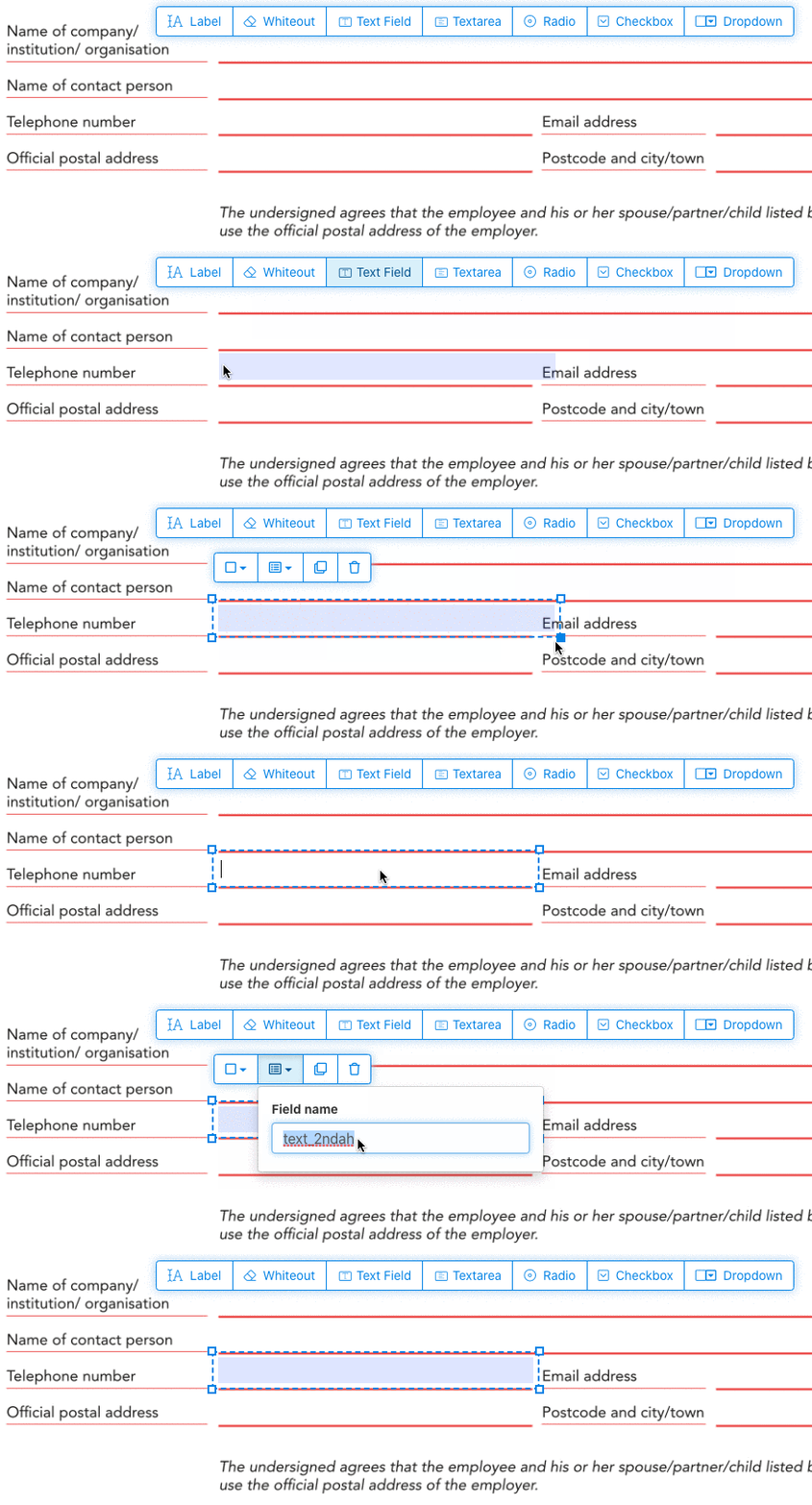
如何建立可填寫的 PDF 文字欄位
點擊選單中的文字欄位項目. 點擊頁面以放置新的文字欄位.
![]()
建立核取方塊、單選鈕或下拉式選單
其他所有表單欄位都可以用相同方式新增.
透過為所有按鈕使用相同的表單欄位名稱,將 Radio buttons 組合在一起. 這可確保同時只能選取一個. 當使用者選取一個時,該組中的其他 radio buttons 會被取消選取.
變更框線顏色. 在 PDF 表單欄位中設定文字顏色
讓表單欄位擁有透明框線,或挑選最適合你的顏色. 可以設定 PDF 欄位的文字顏色.
文字對齊方式可以設定為 'Left'、'Center' 或 'Right'. 字型大小可以設定為特定值,或保留為 'Auto' 以根據輸入的文字量自動調整.
控制表單欄位名稱與其他屬性
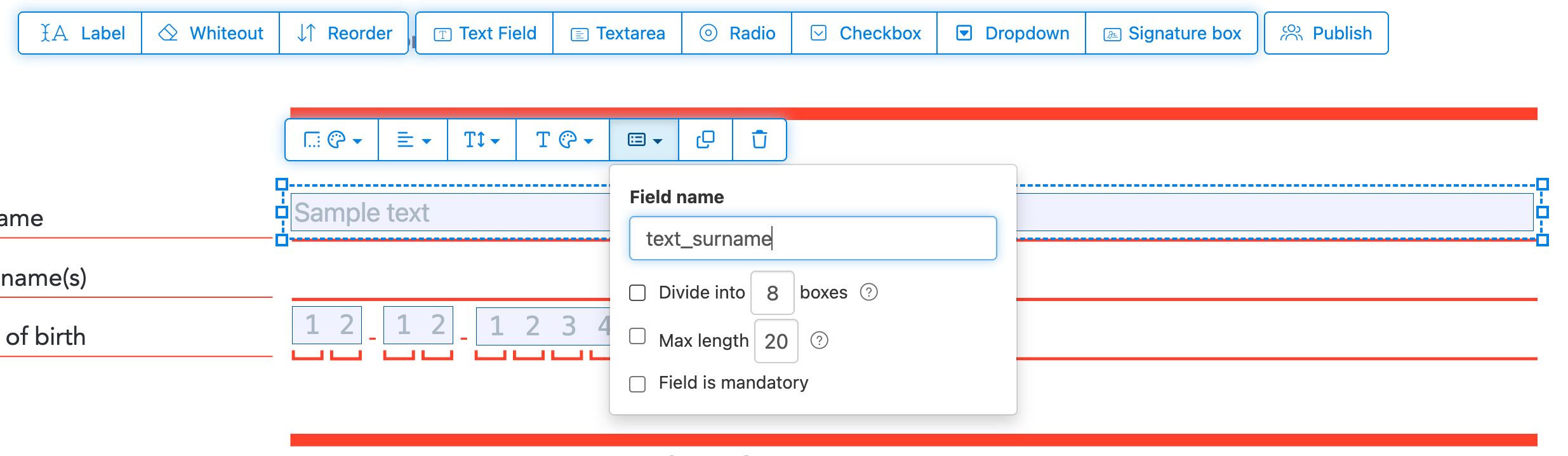
為每個表單欄位定義名稱,並設定特定的欄位屬性,例如多選、匯出值等.
將任何欄位標記為必填,以便在提交表單前必須完成該欄位. 對於文字欄位,你還可以設定最大字元長度以限制輸入.
文字欄位可以顯示為 comb 欄位,將輸入區域劃分為等間距的格子,每個字元一個格子. 常用於日期欄位、郵遞區號、身分證字號和類似的結構化輸入.
![]()
更改 PDF tab 順序
需要控制切換欄位的順序嗎?點擊 'Reorder',透過拖放來重新排序表單欄位,或按列或欄自動排序.
對齊 PDF 欄位,multi-select 並跨頁面複製
一次選取多個表單欄位並複製到不同頁面,在製作具重複區段的多頁表單時非常方便.
使用對齊工具來讓多個表單欄位互相對齊. 透過左、右、上或下邊緣對齊,讓版面既整潔又專業.
發佈供他人填寫與簽署
表單準備好後,點擊「Publish」按鈕即可產生分享連結. 任何拿到連結的人都能開啟並填寫表單,再透過 email 寄回給你. 連結永久有效,可以分享在網站或 email 裡.
-
儲存你的文件
點擊「套用變更」. 處理完成後,儲存更新的文件.
你應該會得到一個可以輕鬆電子填寫的 PDF 文件,無需列印.