
 Google Drive
 OneDrive
Below we show how to rotate a pdf
上傳您的文件
文件通過加密連接安全上傳. 文件保持安全. 處理後,它們將被永久刪除.
不想上傳您的文件並離線處理它們?
Try Sejda Desktop. 與在線服務功能相同,且文件永遠不會離開您的計算機.
點擊“上傳”並從您的本地計算機選擇文件.
將文件拖放到頁面上也有效.
Dropbox 或 Google Drive 文件
您也可以從 Dropbox 或 Google Drive 中選取 PDF 文件.
展開“上傳”下拉菜單並選擇您的文件.
Step 2: Select pages to rotate
Pages can be rotated 90° clockwise, 90° counter-clockwise or 180° (flipped horizontally)
Rotate all pages
If you want to rotate all pages in the document, make sure All pages is selected. Then, click the rotation to be applied: 90°, 90° or 180°
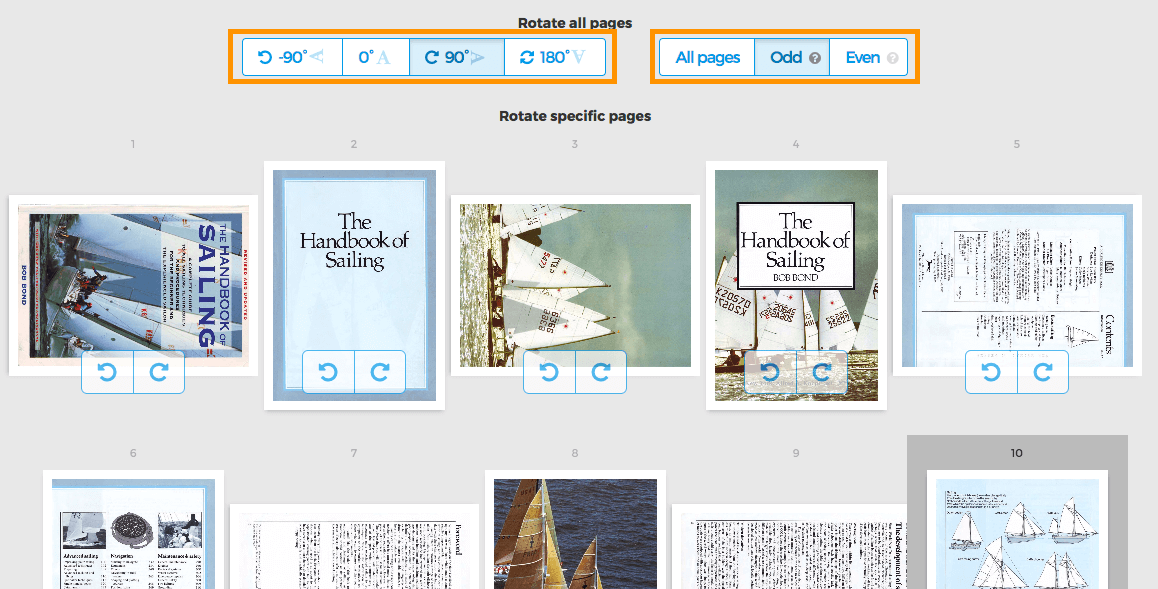
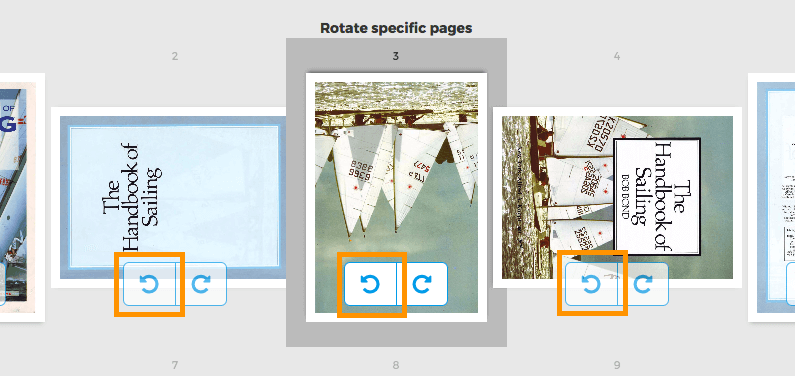
Rotate specific pages
Each page has two buttons to rotate that single page: or
Rotate only odd or even pages
Rotating only odd pages (2,4,6, etc) or all even pages (1,3,5) can also be done. Select either Odd pages or Even pages