Google Drive
 OneDrive
下面介绍如何将 PDF 转换为可填写表单
-
选择现有的 PDF 文档
点击“上传”以选择文件. 没有现有文档?从空白模板开始.
-
向 PDF 表单添加可填写字段
检查文档现有内容,并在必要处添加可填写表单字段.
你可以从以下字段类型中选择:
- 文本字段: 单行文本
- Textarea: 多行文本
- Radio: 从组中仅选择一个
- 复选框: 勾选一个或多个选项
- Dropdown: 从下拉列表中选择一个或多个选项
- 签名框: 供他人签名的签名框
如何创建可填写 PDF 文本字段
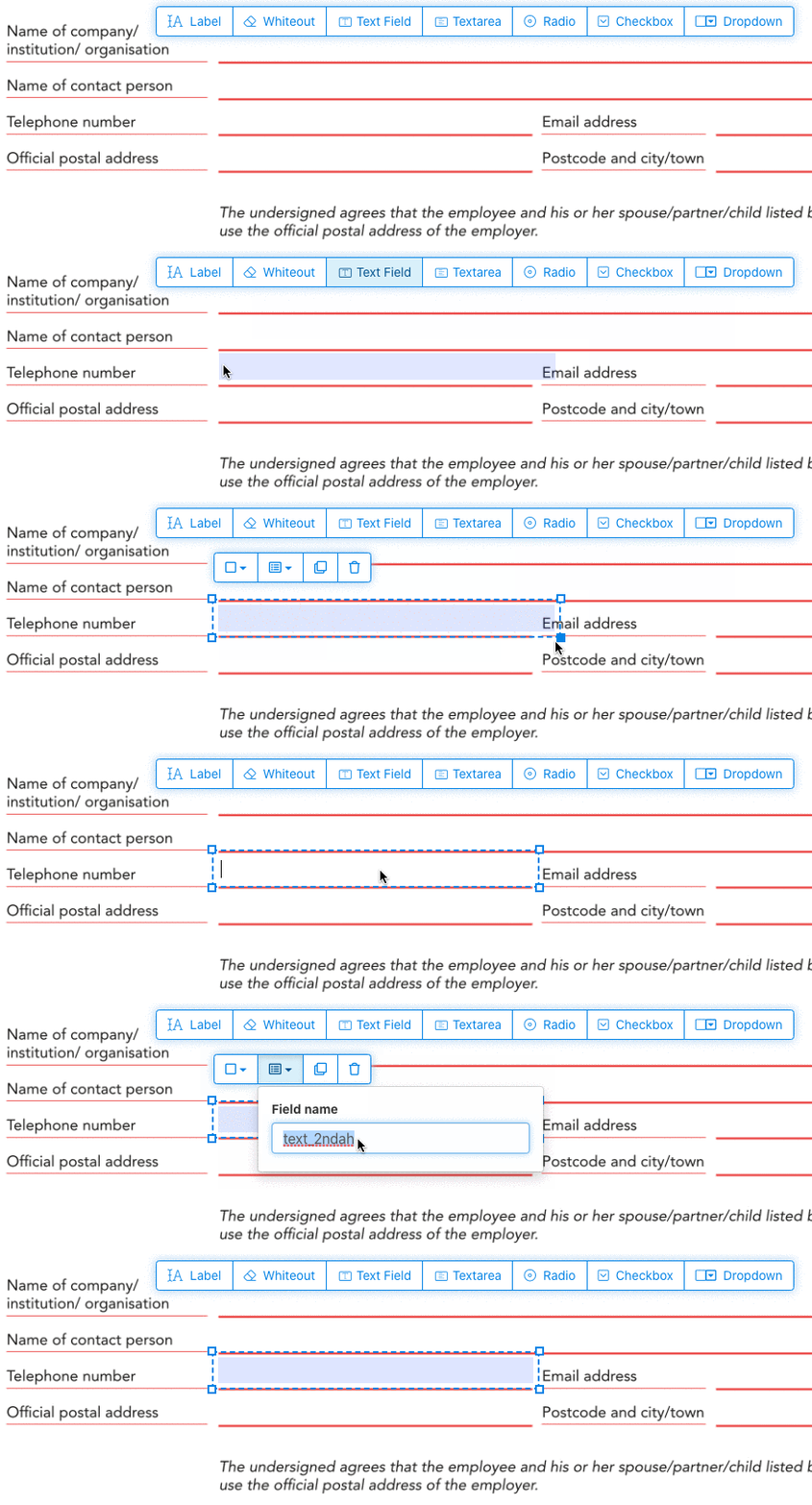
点击菜单中的文本字段项. 点击页面以放置新的文本字段.
![]()
创建 checkboxes、radio buttons 或 dropdown
所有其他表单字段都可以用同样的方式添加.
通过为所有按钮使用相同的表单字段名称,单选按钮被分在一组. 这确保了同时只能选择一个. 当用户选择其中一个时,该组中的其他单选按钮将被取消选择.
修改边框颜色. 配置 PDF 表单字段中的文本颜色
让表单字段拥有透明边框,或选择最适合你的颜色. 可以配置 PDF 字段的文本颜色.
文本对齐方式可以配置为 'Left'、'Center' 或 'Right'. 字体大小可以设置为特定值,也可以保留为 'Auto',以便根据输入的文本量自动调整.
控制表单字段名称和其他属性
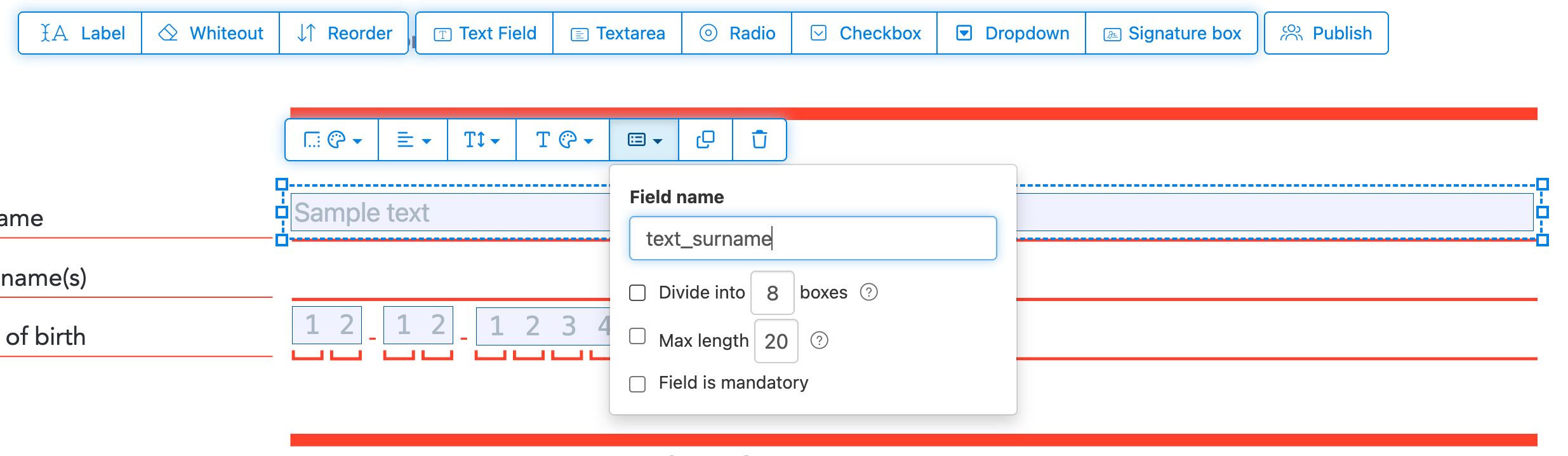
为每个表单字段定义名称,并配置特定字段属性,比如多选、导出值等.
将任何字段标记为必填,以便在提交表单前必须完成. 对于文本字段,你还可以设置最大字符长度来限制输入.
文本字段可以显示为梳状字段 (comb field),将输入区域划分为等间距的框,每个框一个字符. 常用于日期字段、邮政编码、身份证号及类似的结构化输入.
![]()
更改 PDF Tab 顺序
需要控制字段的 Tab 顺序吗?点击 'Reorder',通过拖放重新排序表单字段,或按行或列自动排序.
对齐 PDF 字段,multi-select 并跨页 duplicate
一次 select 多个表单字段并 duplicate 到不同页面,构建含重复部分的多页表单时非常方便.
使用对齐工具让多个表单字段相互排齐. 按左、右、上或下边缘对齐,让布局整洁专业.
发布供他人填写并签名
表单准备好后,点击 'Publish' 按钮生成分享链接. 任何有链接的人都能打开并填写表单,然后通过 email 发回给你. 链接永久有效,可分享到网站或通过 email 发送.
-
保存你的文档
点击“应用更改”. 处理完成后,保存你更新后的文档.
你将拥有一个可填写的 PDF 文档,无需打印即可轻松在线填写.