Google Drive
 OneDrive
Нижче ми покажемо, як перетворити PDF на форму для заповнення
-
Виберіть існуючий PDF документ
Натисни на 'Upload', щоб обрати файл. Немає документа? Почніть з порожнього шаблону.
-
Додайте поля для заповнення до вашої PDF форми
Перегляньте вміст документа та додайте поля для заповнення, де це потрібно.
Можна вибрати такі типи полів:
- Текстове поле: один рядок тексту
- Textarea: кілька рядків тексту
- Radio: вибрати лише один варіант
- Checkbox: вибрати один або кілька варіантів
- Dropdown: вибрати один або кілька варіантів зі списку
- Поле для підпису: поле підпису для інших користувачів
Як створити текстове поле PDF для заповнення
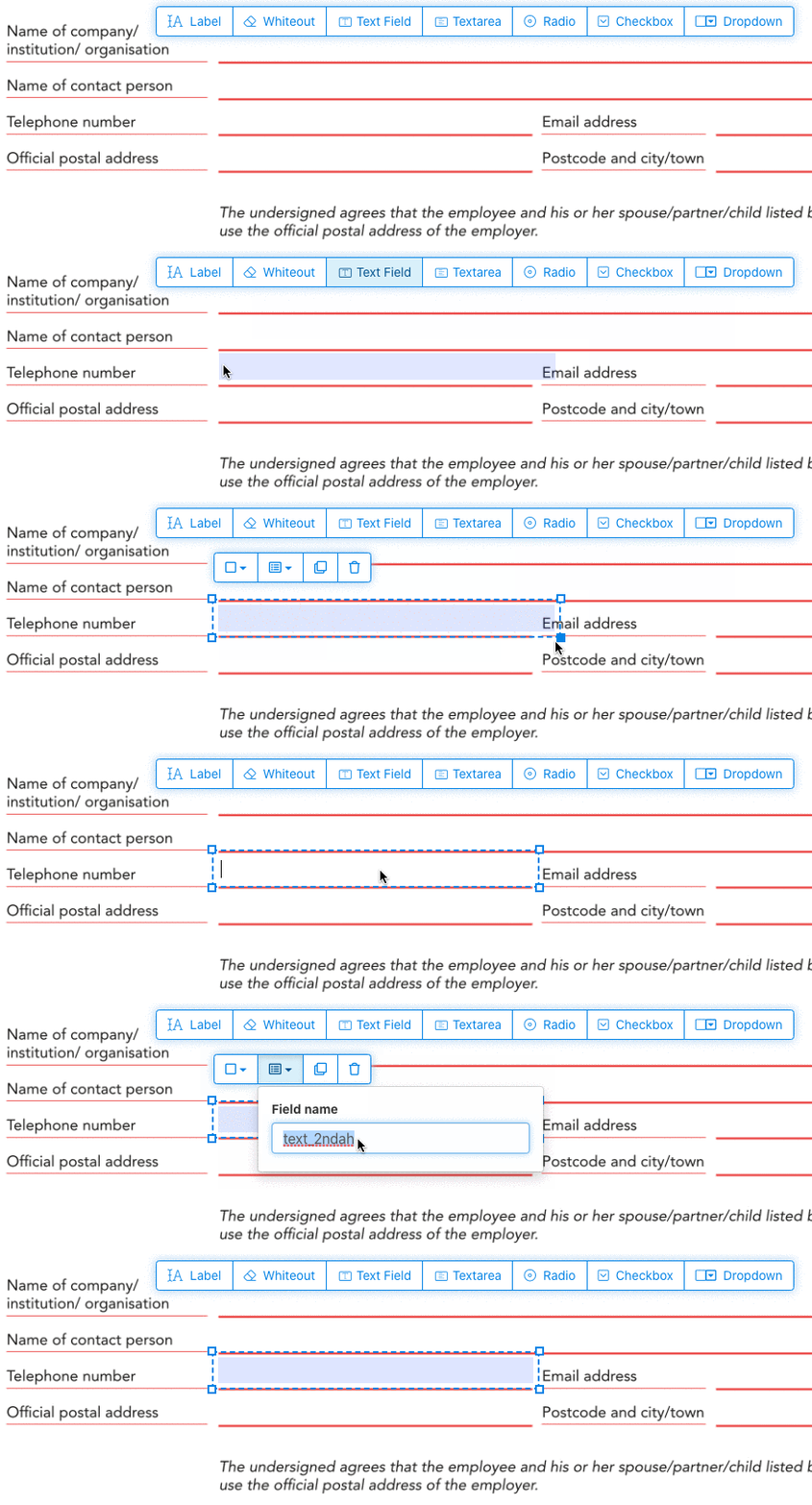
Натисни на пункт текстового поля в меню. Потім натисни на сторінці, щоб додати нове текстове поле.
![]()
Створюй чекбокси, радіокнопки або випадаючі списки
Усі інші поля форм додаються так само.
Radio buttons групуються разом шляхом використання однакового імені поля форми для всіх кнопок. Це гарантує, що одночасно можна вибрати лише одну. Коли користувач вибирає одну, інші radio buttons у групі стають неактивними.
Змінюй колір рамки. Налаштувати колір тексту в полях PDF форми
Роби поля з прозорою рамкою або обери колір, який тобі до вподоби. Колір тексту в полях PDF можна налаштувати.
Вирівнювання тексту можна налаштувати як 'Left', 'Center' або 'Right'. Розмір шрифту можна встановити конкретним або залишити 'Auto', щоб він підбирався автоматично під обсяг тексту.
Керуй назвами полів та іншими властивостями
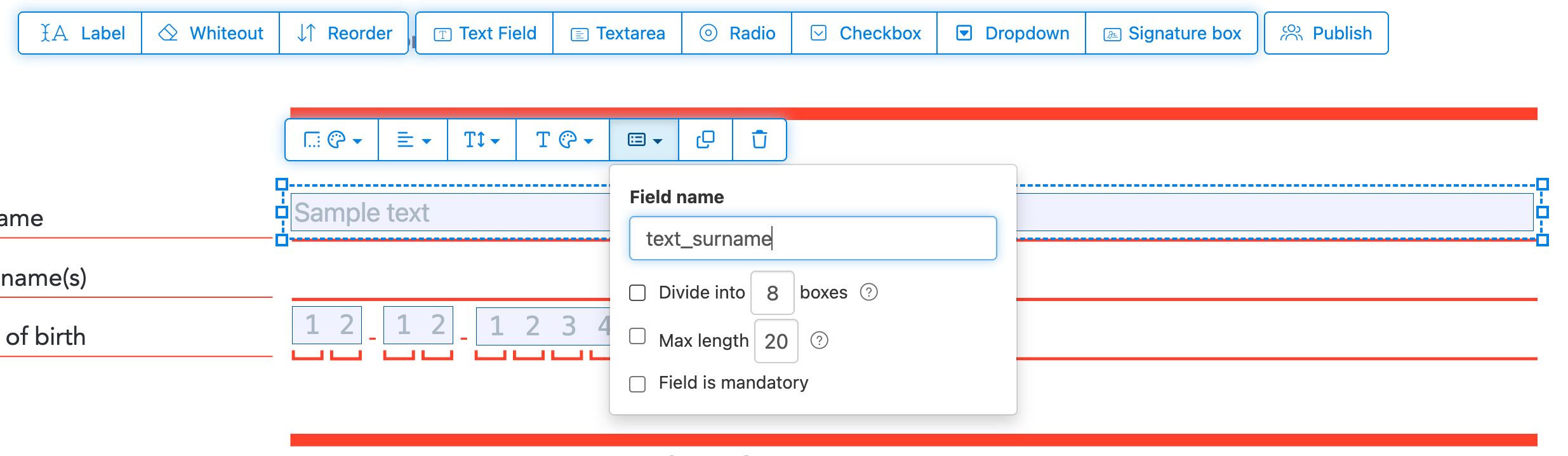
Визначай назву для кожного поля та налаштовуй властивості: multiselect, значення експорту тощо.
Позначте будь-яке поле як обов’язкове, щоб його потрібно було заповнити перед надсиланням форми. Для текстових полів можна також встановити максимальну довжину символів.
Текстові поля можуть відображатися як comb field, розділяючи область введення на рівні клітинки, по одній на символ. Зазвичай використовується для полів дат, поштових індексів, ID номерів та подібних даних.
![]()
Змінити черговість Tab у PDF
Потрібно керувати порядком переходу через Tab? Натисніть 'Reorder', щоб змінити порядок перетягуванням, або відсортуйте автоматично за рядками чи стовпчиками.
Вирівнюй PDF-поля, multi-select та дублюй на інші сторінки
Вибирай кілька полів за раз і дублюй їх на іншу сторінку; зручно для повторюваних секцій.
Використовуй інструменти вирівнювання, щоб виставити кілька полів в один ряд. Вирівнюй по лівому, правому, верхньому чи нижньому краю для охайного вигляду.
Опублікуй для заповнення та підпису іншими
Коли форма готова, тисни 'Publish', щоб створити лінк для поширення. Будь-хто з лінком може відкрити форму, заповнити її та надіслати тобі на імейл. Лінк не має терміну дії, ним можна ділитися на сайті або в імейлі.
-
Збережи свій документ
Натисни на «Apply changes». Коли обробка завершиться, збережи оновлений документ.
Ти отримаєш PDF-форму, яку легко заповнити в електронному вигляді без друку.