Google Drive
 OneDrive
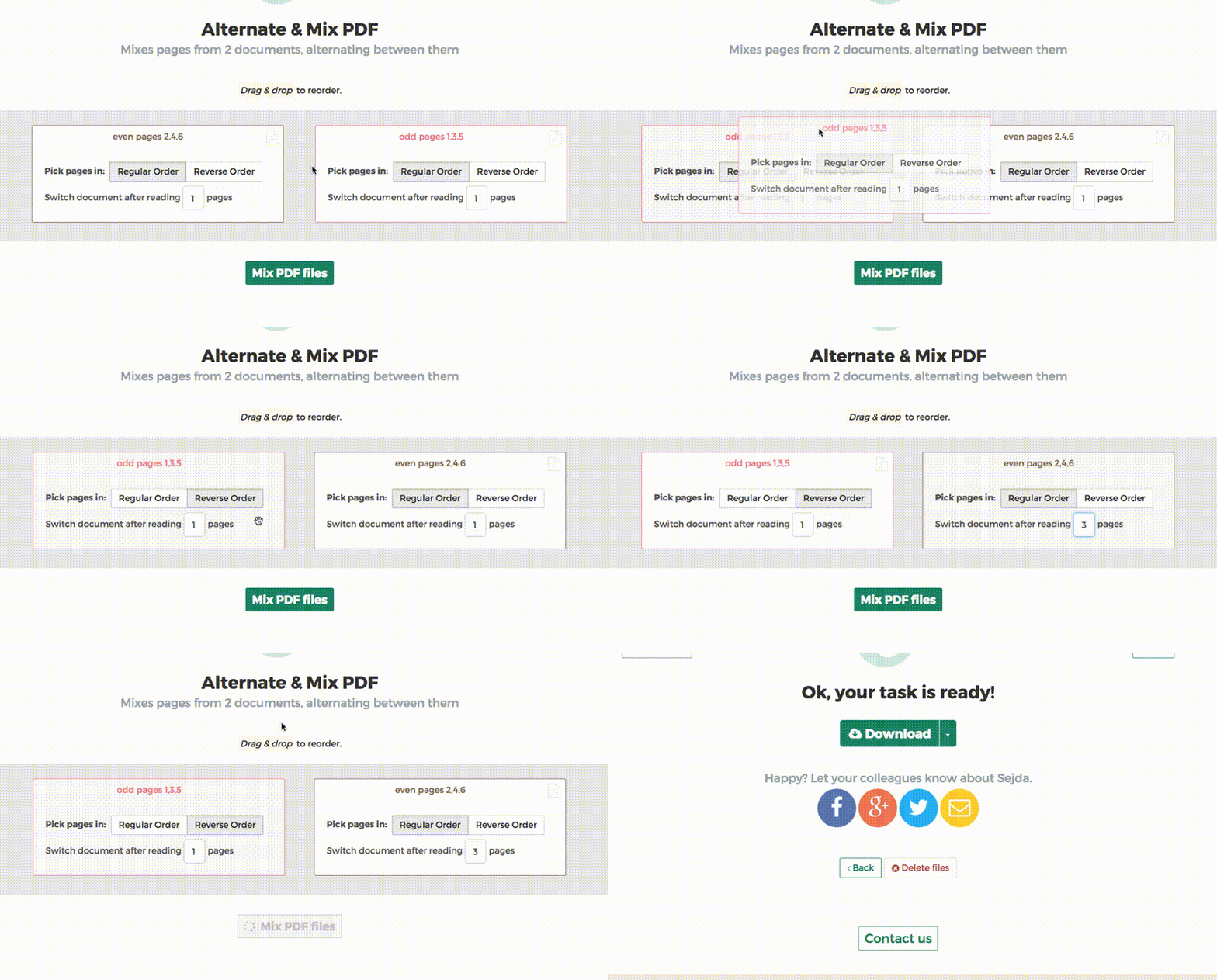
Below we show how to combine an even pages file and an odd pages file into one PDF, achieving proper order.
Upload את הקבצים שלך
הקבצים מועלים בבטחה (Upload) דרך חיבור מוצפן. הקבצים נשארים מאובטחים. לאחר העיבוד, הם נמחקים לצמיתות.
מעדיף לא לבצע Upload ולעבוד אופליין?
Try Sejda Desktop. אותן תכונות כמו בשירות האונליין, והקבצים לא עוזבים את המחשב שלך.
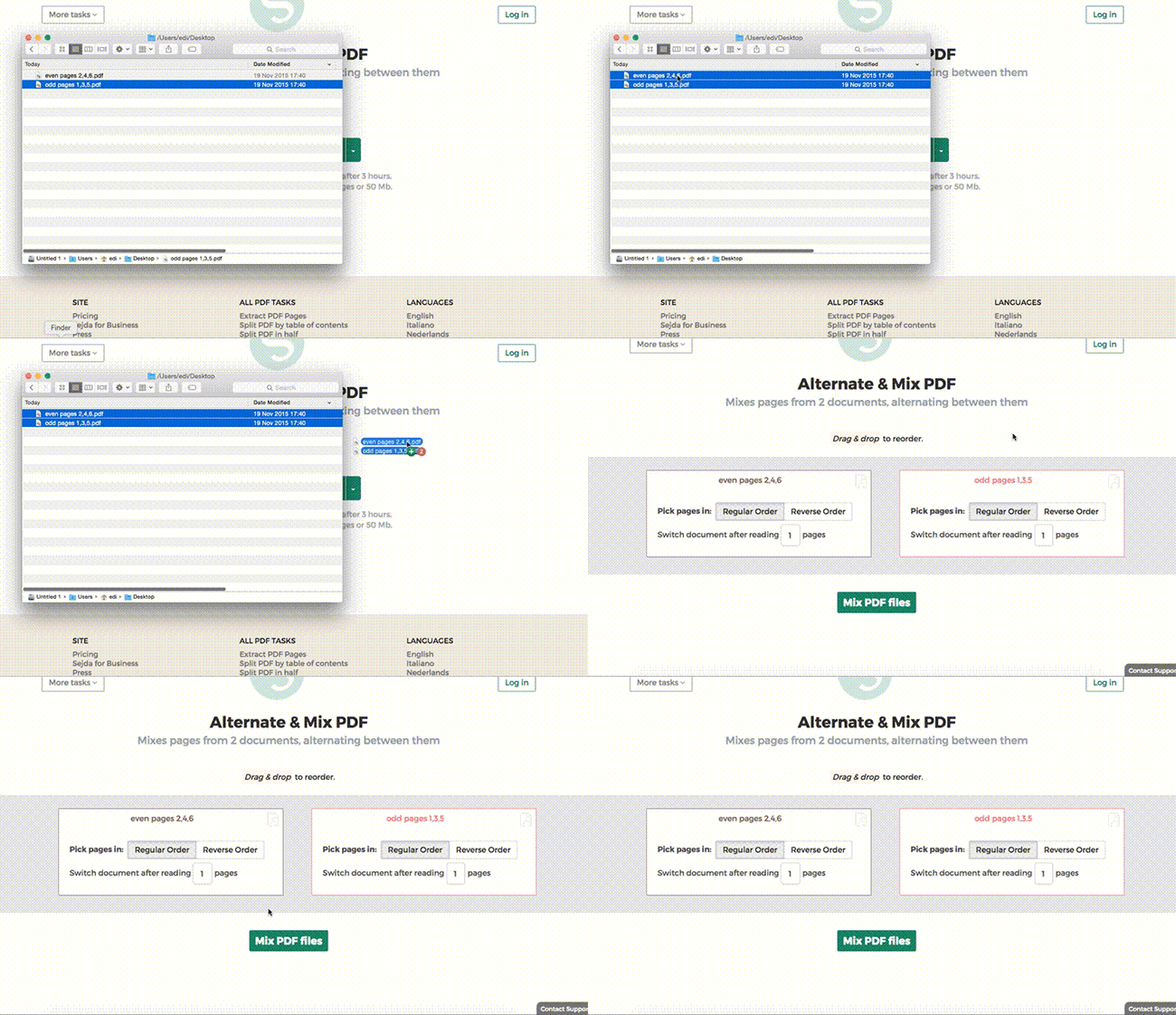
לחץ על 'Upload' ובחר קבצים מהמחשב שלך.
אפשר גם לגרור ולהשליך קבצים לדף.
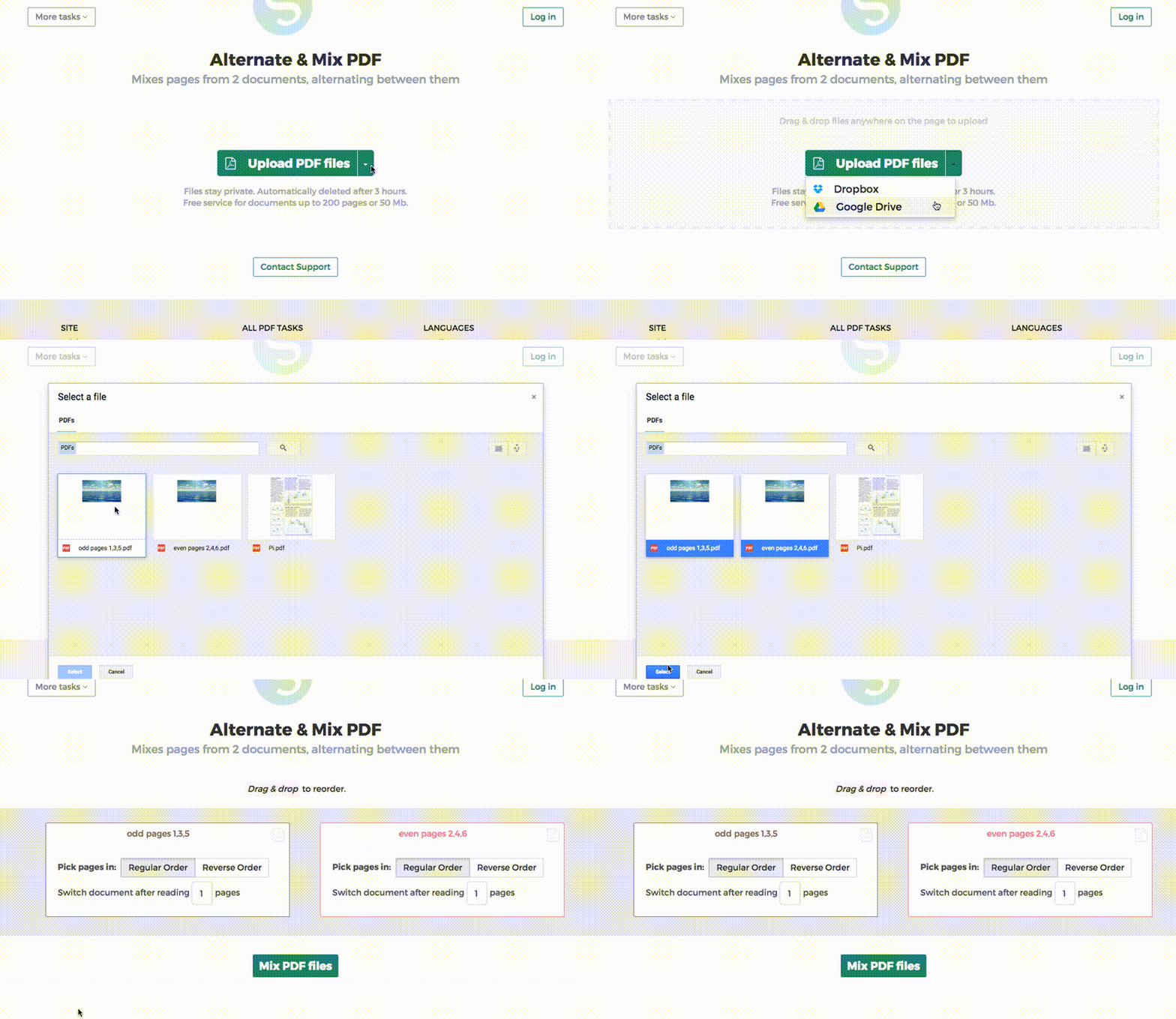
קבצי Dropbox או Google Drive
ניתן לבחור קבצי PDF גם מ-Dropbox או Google Drive.
פתח את תפריט ה-'Upload' ובחר את הקבצים שלך.
שלב 2: סידור דפים
התרחיש הנפוץ הוא שני סטים של קבצים, PDF של עמודים זוגיים ו-PDF של עמודים אי-זוגיים, מסורק עם הזנה אוטומטית. כדי לשלב ביניהם, פשוט לחץ על כפתור Alternate & Mix.
במקרה שהקבצים לא הועלו בסדר הנכון, פשוט גרור ושחרר כדי להחליף ביניהם. קובץ ה-PDF של העמודים האי-זוגיים צריך להיות משמאל וקובץ ה-PDF של העמודים הזוגיים מימין.
טיפ: איסוף עמודים זוגיים בסדר הפוך
אם העמודים הזוגיים נסרקו בסדר הפוך (10, 8, 6...), יש לבחור באפשרות "Pick pages in: Reverse Order". התוצאה תהיה עם העמודים בסדר הנכון: 1, 2, 3, 4 וכו׳.
טיפ: שילוב בדירוג שונה
כברירת מחדל, נבחר עמוד אחד מכל מסמך בזמן השילוב. צריך לשלב בדירוג שונה?
לדוגמה: עמודים מ-left.pdf צריכים להיכנס בין כל 3 עמודים מ-right.pdf. במקרה כזה, שנה את הערך של "Switch document after reading" ל-3 עבור הקובץ הימני.