Google Drive
 OneDrive
Below we show how to convert PDF pages to JPG, PNG or TIFF images.
-
Upload את הקבצים שלך
הקבצים מועלים בבטחה (Upload) דרך חיבור מוצפן. הקבצים נשארים מאובטחים. לאחר העיבוד, הם נמחקים לצמיתות.
מעדיף לא לבצע Upload ולעבוד אופליין?
Try Sejda Desktop. אותן תכונות כמו בשירות האונליין, והקבצים לא עוזבים את המחשב שלך.לחץ על 'Upload' ובחר קבצים מהמחשב שלך.
אפשר גם לגרור ולהשליך קבצים לדף.
קבצי Dropbox או Google Drive
ניתן לבחור קבצי PDF גם מ-Dropbox או Google Drive.
פתח את תפריט ה-'Upload' ובחר את הקבצים שלך.
-
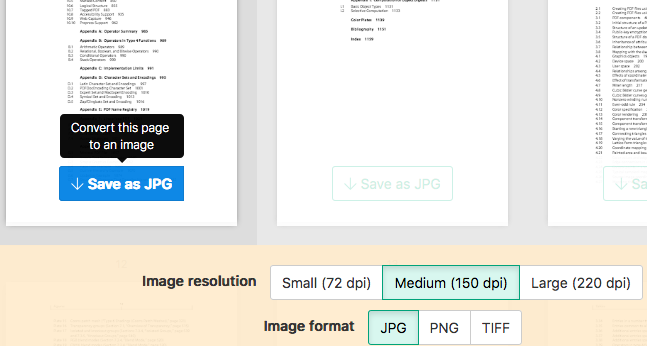
Select an image format
By default PDF is converted to JPG. Alternatively, choose to save your PDF as PNG or TIFF.
-
Select image resolution
Choose between 220 dpi, 150 or 75 dpi. Larger resolution (220 dpi) will output larger images.
-
Choose pages to convert
Click to select pages to convert. By default all pages in the PDF document are converted.
Quickly convert just a few pages?
Press the
Save as JPGbutton on the PDF page to quickly save it as an JPG image. Other image formats also supported.![]()
-
Save your changes
Click the
Convertbutton and thenDownloadan archive containing all the images.