
 Google Drive
 OneDrive
Below we show how to split PDF pages with double page layout in two, down the middle. Splitting one A3 into two A4 pages is a great example.
ファイルをUpload
ファイルは暗号化接続で安全にUploadされます. ファイルは安全に保護されます. 処理後、ファイルは完全に削除されます.
ファイルをUploadせず、オフラインで作業したいですか?
Try Sejda Desktop. オンライン版と同じ機能で、ファイルがPCから出ることはありません.
'Upload'をクリックしてPCからファイルを選択.
ファイルをページにドラッグ&ドロップしてもOKです.
Dropbox または Google Drive のファイル
Dropbox や Google Drive からも PDF を選択できます.
'Upload'のドロップダウンを開いてファイルを選択してください.
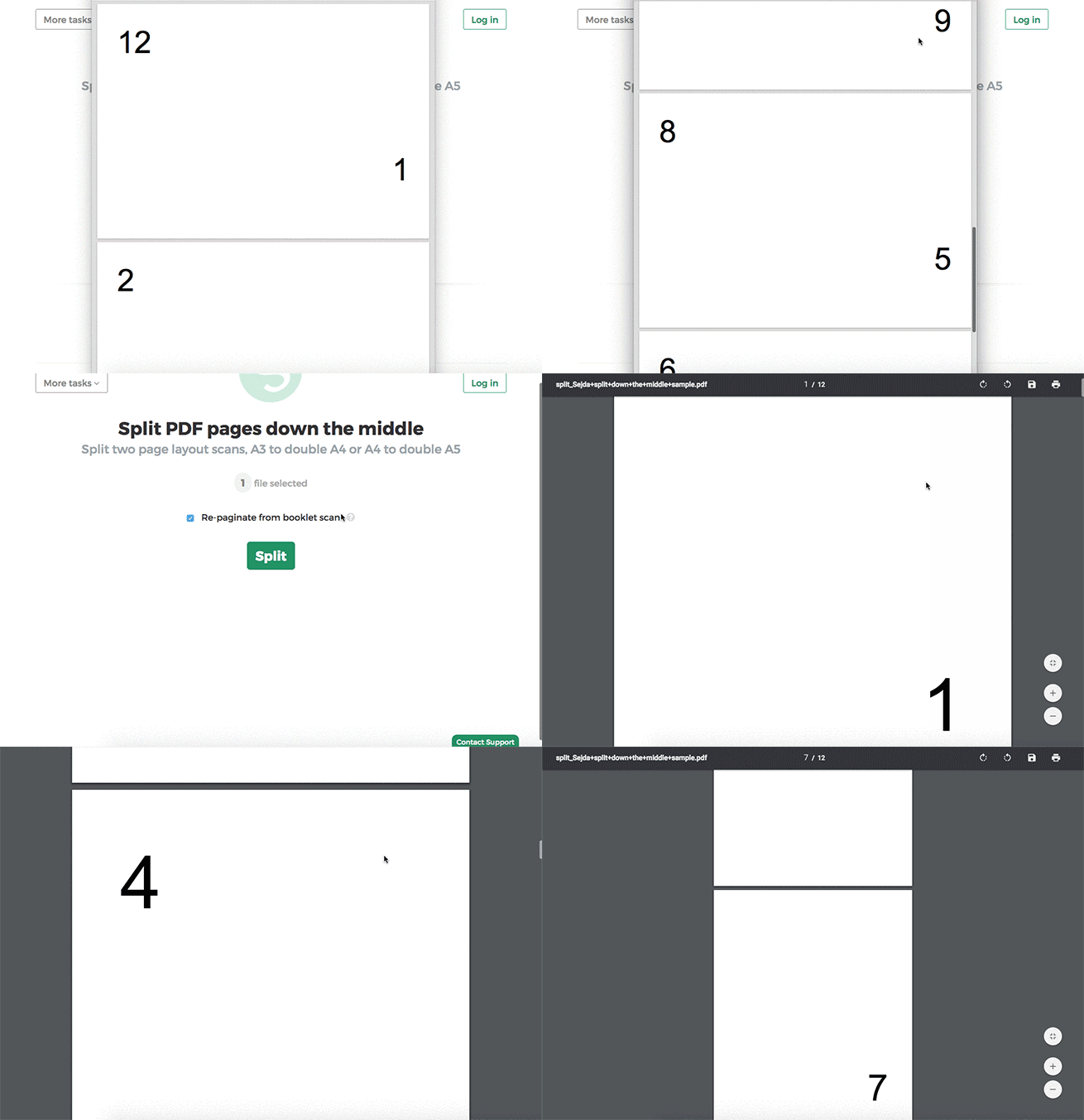
Step 2: Split double page layout scans
Whether it's A4 to double A5s or A3 into two A4s, whether it's landscape or portrait oriented, you don't have to configure anything. The program will auto-configure itself and detect the best way to split.
Just click the Split button to get your result PDF.
Example: You scanned a book by flipping each page and laying it face down on the scanner.
Tip: Reordering pages when document was scanned as a booklet
Sometimes it's easier to scan a document as a booklet, removing the middle ligature and feeding all pages into a scanner at once.
The page ordering in the scanned PDF is not the natural one. To split the document and then reorder the page back to their natural order there's a handy option you can select: Repaginate from booklet scan
Example: You scanned a book by taking out the middle ligature clips and feeding the double pages into a scanner.
In the scanned PDF, the pages are in the following order:12, 1, 2, 11, 10, 3, 4, 9 and so forth, for a 12 pages document.
Different ordering from your scanner? Contact us with details and we'll try to add support for it.
