
 Google Drive
 OneDrive
Below we show how to convert PDF files to black and white.
In case you’re not sure what grayscale means, it’s something that used to be in full colours and is now represented by a range of grey shades from white to black, as used in a monochrome display.
Few reasons to convert your colour PDF to grayscale are:
Save on coloured printer ink. If you're printing a grayscale PDF only black ink will be used.Compress the PDF to a smaller size. Works best when the PDF contains images. Grayscale images are smaller in size than coloured ones.

Upload свои файлы
Файлы безопасно upload через зашифрованное соединение. Файлы в безопасности. После обработки они удаляются навсегда.
Не хочешь upload файлы и предпочитаешь работать оффлайн?
Try Sejda Desktop. Те же фичи, что и в онлайн-сервисе, и файлы никогда не покидают компьютер.
Нажми 'Upload' и выбери файлы на своем компьютере.
Drag-and-drop файлов на страницу тоже работает.
Файлы из Dropbox или Google Drive
Ты можешь выбрать PDF-файлы из Dropbox или Google Drive.
Разверни список 'Upload' и выбери свои файлы.
Step 2: Choose options
Use no colour ink when printing
A common reason for converting a PDF document to grayscale is to consume no coloured ink when printing it. If your PDF is grayscale, only black ink is used when you print it.
Offset printing
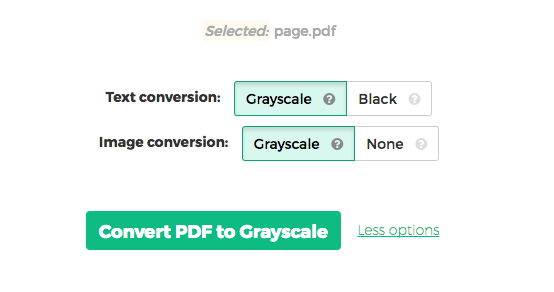
One of the tool features is that it can convert text to grayscale or simply black. This is handy when preparing a PDF document for offset printing.
Another feature allows skipping images altogether, leaving them in full colour, while converting to grayscale (or black) the text contents.